
How to Use AI Tools for Studying, Work, and Creativity in 2026
Learn how to use AI tools for studying, work, writing, research, PDF summarization, image generation, voice chat, and creative productivity in 2026.
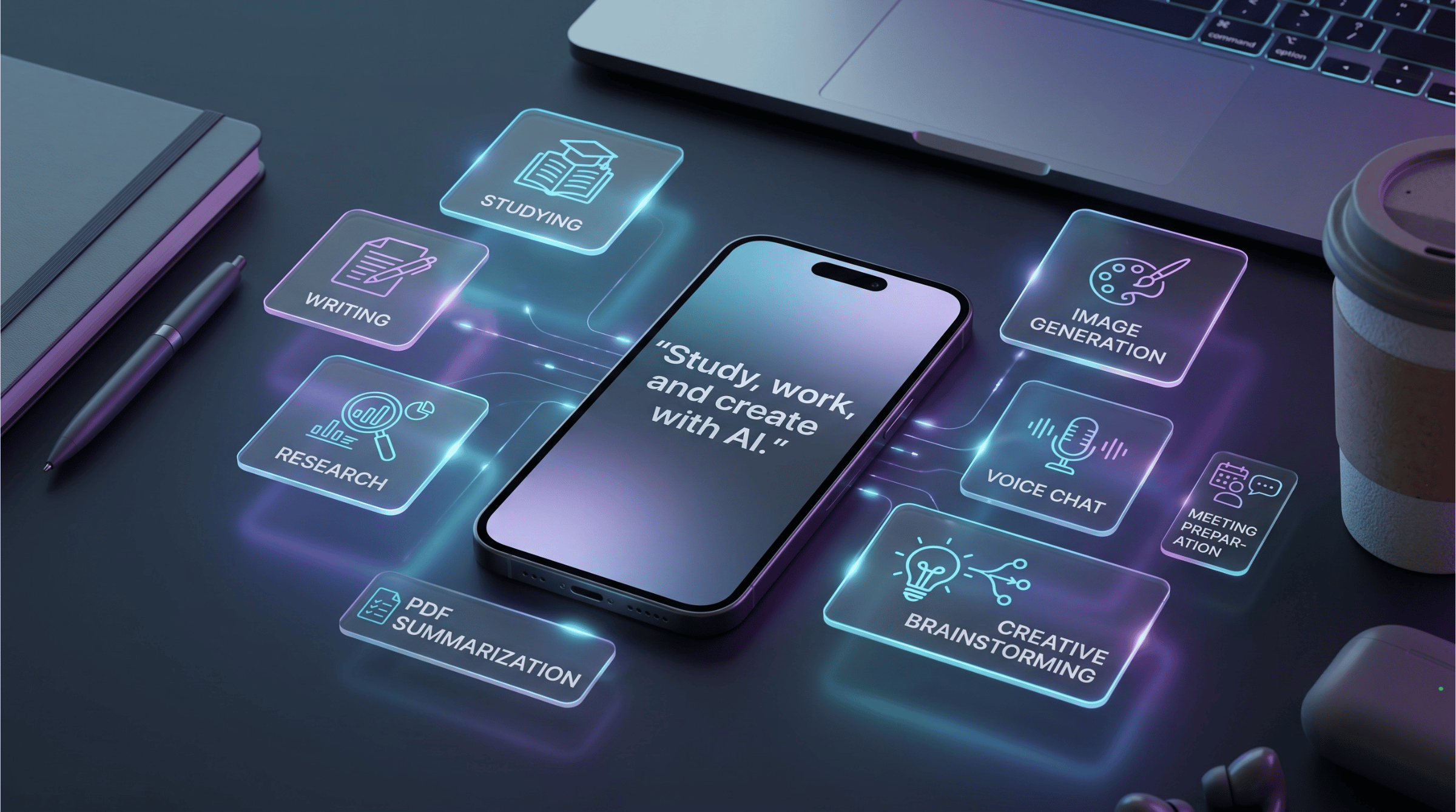
Table of Contents
AI tools are no longer only for technology enthusiasts.
In 2026, students use AI to understand difficult topics. Professionals use it to write emails, summarize documents, and prepare for meetings. Creators use it to generate content ideas, captions, scripts, and visual concepts. Freelancers use it to communicate with clients, create proposals, and manage their workload. Small business owners use it for marketing, customer replies, product descriptions, and research.
The question is no longer:
“Can AI help me?”
The better question is:
“How can I use AI in a practical way every day?”
Tools like ChatGPT, Claude, Gemini, Perplexity, Midjourney, Canva, and SuperGeno all show how broad the AI landscape has become. ChatGPT is widely used for writing, brainstorming, learning, and productivity. Claude is often preferred for thoughtful writing, structured analysis, and problem solving. Gemini is useful for people who want an assistant connected to the Google ecosystem. Perplexity is strong for real-time research and source-based answers. Midjourney and Canva are popular for visual creation and design workflows.
But most people do not want to switch between many different tools all day.
That is why a mobile-first AI tool like SuperGeno can be useful. It brings together AI chat, writing support, web search, PDF summarization, image generation, photo transformation, voice chat, and productivity workflows in one simple mobile experience.
This guide explains how to use AI tools for studying, work, and creativity without making the process complicated.
Why AI Is Becoming a Daily Productivity Companion
The biggest benefit of AI is not that it can produce impressive answers.
The real benefit is that it helps people move faster from idea to output.
Before AI, many daily tasks started with friction:
A blank page.
A long PDF.
A confusing topic.
A messy meeting note.
A difficult email.
A campaign idea with no structure.
A social media post with no caption.
A technical explanation that feels too complex.
AI reduces that first friction point.
It can create a first draft. It can explain a concept simply. It can summarize long information. It can help you compare options. It can generate visual ideas. It can help you think through a problem before you speak with someone.
That does not mean AI should replace your judgment.
The best way to use AI is as a thinking partner, not as an automatic decision-maker.
You bring the context. AI helps organize, simplify, draft, summarize, and expand.
1. How to Use AI for Studying
AI can be extremely helpful for students when it is used correctly.
The goal should not be to copy answers. The goal should be to understand better, study faster, and practice more effectively.
A good AI study workflow can include:
Explaining difficult topics.
Summarizing notes.
Creating study plans.
Generating quiz questions.
Turning PDFs into study material.
Practicing languages.
Reviewing your own answers.
Creating flashcards.
Preparing essay outlines.
For example, instead of asking:
“Write my essay.”
A better prompt is:
“Explain this topic in simple terms and give me a clear essay outline.”
This helps you learn instead of simply outsourcing the task.
Practical AI Prompts for Students
“Explain this topic like I am a beginner.”
“Create a 7-day study plan for my exam.”
“Summarize this chapter in simple language.”
“Turn this PDF into study notes.”
“Create 10 quiz questions about this topic.”
“Ask me questions one by one and correct my answers.”
“Create flashcards from this text.”
“Explain the difference between these two concepts.”
“Give me examples from real life.”
“Help me prepare for an oral exam.”
How SuperGeno Helps Students
SuperGeno can support studying because it combines several useful workflows in one mobile app.
A student can summarize a PDF, ask follow-up questions, create notes, practice speaking with voice chat, and generate study prompts from the same place.
This is useful because studying does not always happen at a desk. You may study while commuting, waiting, walking, or taking a short break. A mobile AI companion makes it easier to continue learning when you have small pockets of time.
2. How to Use AI for Writing
Writing is one of the most common AI use cases.
ChatGPT and Claude are both widely used for writing, editing, summarization, brainstorming, and communication support. ChatGPT highlights writing, brainstorming, editing, exploring ideas, and productivity as core use cases. Claude positions itself as an AI for problem solvers, with strong support for analysis, writing, and complex work.
But writing with AI does not mean publishing whatever the tool gives you.
A better approach is to use AI as a writing assistant.
It can help you create a draft, improve clarity, change tone, shorten text, expand ideas, or organize your thoughts.
Practical AI Prompts for Writing
“Rewrite this email in a more professional tone.”
“Make this message shorter and clearer.”
“Turn these notes into a structured article outline.”
“Write three versions of this caption: friendly, premium, and playful.”
“Improve this paragraph without changing my meaning.”
“Create a polite follow-up email after a meeting.”
“Turn this rough idea into a LinkedIn post.”
“Translate this text and make it sound natural.”
“Create a product description for this item.”
“Give me five title options for this blog post.”
How SuperGeno Helps With Writing
SuperGeno makes writing support available from your phone.
This matters because many writing tasks happen quickly:
You need to reply to a message.
You need to rewrite an email before sending it.
You need a caption for a post.
You need to summarize a thought.
You need to prepare a short explanation.
Instead of waiting until you are back at your computer, you can draft, rewrite, and improve text directly from a mobile interface.
3. How to Use AI for Work and Professional Productivity
AI can save significant time in daily work.
Professionals often deal with emails, meetings, reports, decisions, documents, and communication. Many of these tasks involve reading, summarizing, writing, comparing, or organizing information.
AI can help with:
Meeting preparation.
Email drafting.
Document summaries.
Action items.
Decision support.
Research.
Client communication.
Status updates.
Presentation outlines.
Project planning.
For example, before a meeting, you can ask AI to help you prepare talking points. After a meeting, you can ask it to turn notes into action items. Before sending an important message, you can ask it to adjust the tone.
Practical AI Prompts for Professionals
“Summarize these meeting notes and create action items.”
“Create three talking points for this client call.”
“Rewrite this email to sound polite and confident.”
“Compare these two options and explain the trade-offs.”
“Create a short executive summary from this text.”
“Turn this messy note into a clear project update.”
“Help me prepare for a performance review conversation.”
“Create a checklist for this task.”
“Summarize this report for a busy manager.”
“Create a follow-up email based on these notes.”
How SuperGeno Helps Professionals
SuperGeno is useful for professionals because it works as a mobile productivity companion.
You can prepare for a meeting on the way to the office, summarize a document between calls, rewrite a message before sending it, or brainstorm ideas while away from your desk.
This is one of the main advantages of a mobile-first AI tool. It helps you use small moments better.
4. How to Use AI for Research
Research is one of the areas where AI can reduce a lot of manual work.
Perplexity is known as an AI-powered answer engine that provides real-time answers, and it is especially useful for source-oriented research.
Research-focused AI tools can help users explore a topic, compare information, and get a structured overview faster than opening many tabs manually.
You can use AI research workflows for:
Product comparisons.
Market research.
Travel planning.
App comparisons.
Trend discovery.
Competitor research.
Learning new topics.
Preparing content.
Understanding recent news.
Business decisions.
Practical AI Prompts for Research
“Give me a simple overview of this topic.”
“Compare these three tools and show the main differences.”
“What are the latest trends in this market?”
“Summarize the pros and cons of this product.”
“Create a buying guide for this category.”
“Find important points I should know before choosing this app.”
“Explain this topic from beginner to advanced level.”
“Create a research brief about this industry.”
“Give me content ideas based on this topic.”
“Turn this research into a blog outline.”
How SuperGeno Helps With Research
Research is rarely the final step.
Usually, you research because you want to write, decide, plan, create, or explain something.
SuperGeno helps by connecting research with the next action. You can search the web, summarize information, ask follow-up questions, turn results into notes, create content ideas, or write a message from the same mobile app.
This reduces app switching and keeps your workflow focused.
5. How to Use AI for PDF and Document Summarization
Long documents are one of the most practical use cases for AI.
Students, professionals, freelancers, managers, and business owners often need to read PDFs, reports, articles, briefs, contracts, proposals, notes, or presentations.
AI can help you extract the important parts faster.
You can ask:
“What are the key points?”
“What should I pay attention to?”
“Summarize this in simple language.”
“Create action items from this document.”
“Explain section three.”
“Turn this into study notes.”
“Create a short version I can send to my team.”
Practical AI Prompts for Documents
“Summarize this PDF in 10 bullet points.”
“Explain this document like I am new to the topic.”
“What are the risks or important warnings in this text?”
“Turn this document into a meeting summary.”
“Create a checklist from this report.”
“Create study notes from this file.”
“Summarize this contract in plain English.”
“Extract the action items and deadlines.”
“Create a one-paragraph executive summary.”
“Give me questions I should ask after reading this.”
How SuperGeno Helps With Documents
SuperGeno can help users summarize and understand long content without separating document work from the rest of their workflow.
You can summarize a PDF, ask follow-up questions, rewrite the summary, create notes, prepare an email, or turn the key points into a social post.
This is useful because documents are usually part of a larger task, not the final destination.
6. How to Use AI for Creativity and Content Creation
Creativity is another major AI use case.
Creators, marketers, freelancers, app owners, and small businesses often need ideas, captions, scripts, visuals, hooks, and campaign angles.
Tools like Midjourney are well known for visual creativity and AI image generation. Canva is popular because it combines templates, design workflows, and AI-powered creative features. But many users also want a simple mobile experience where they can brainstorm, write, generate visuals, and continue editing from one place.
AI can help with:
Video ideas.
Social media captions.
Hooks.
Scripts.
Content calendars.
Image concepts.
Campaign ideas.
Brand messages.
Product descriptions.
Thumbnail ideas.
Visual prompts.
Practical AI Prompts for Creators
“Give me 10 TikTok ideas about this topic.”
“Write five Instagram captions for this product.”
“Create a hook for a 15-second video.”
“Turn this idea into a weekly content calendar.”
“Generate an image concept for this campaign.”
“Create three visual directions for this post.”
“Write a short video script.”
“Give me thumbnail ideas for this topic.”
“Create a carousel post outline.”
“Make this caption more playful.”
How SuperGeno Helps Creators
SuperGeno is useful for creators because creative work usually combines multiple steps.
You may need to brainstorm an idea, write a script, generate an image concept, create a caption, and improve the final message.
Instead of switching between separate tools for chat, writing, image generation, and brainstorming, SuperGeno brings these workflows into one mobile-first experience.
This makes it easier to move from idea to output.
7. How to Use AI for Voice Chat and Language Practice
Voice chat makes AI feel more natural.
Typing is useful, but speaking can be faster and easier in many situations. Voice chat is especially helpful for language practice, meeting preparation, brainstorming, and thinking out loud.
You can use voice chat while:
Walking.
Commuting.
Cooking.
Preparing for a meeting.
Practicing English.
Brainstorming content.
Reviewing your daily plan.
Thinking through a decision.
Practical AI Voice Prompts
“Ask me English questions and correct my answers.”
“Help me practice a job interview.”
“I have a meeting soon. Help me prepare talking points.”
“Let’s brainstorm content ideas together.”
“Help me organize my day.”
“Explain this topic while I am walking.”
“Act as a speaking partner and keep the conversation simple.”
“Correct my grammar after each answer.”
“Help me practice a client conversation.”
“Ask me follow-up questions about this idea.”
How SuperGeno Helps With Voice Chat
SuperGeno’s voice chat experience helps users interact with AI more naturally from their phone.
This is useful because not every AI interaction needs a long typed prompt. Sometimes it is faster to speak, think, and continue the conversation naturally.
For students, this can support language practice. For professionals, it can support meeting preparation. For creators, it can support brainstorming. For busy users, it can make AI easier to use during the day.
8. How Founders and Managers Can Use AI for Technical Thinking
Not every user needs to write code.
But many founders, managers, startup owners, and product leads need to understand technical topics well enough to make decisions, ask better questions, and communicate with development teams.
AI can help translate technical complexity into clearer language.
This is especially useful from mobile. You may not build a product from your phone, but you can quickly review an idea, understand a technical note, or prepare questions before a meeting.
Practical AI Prompts for Founders and Managers
“Explain this database structure like I am a product manager.”
“Review this API logic and tell me if the flow makes sense.”
“Summarize this technical note for a non-technical stakeholder.”
“What questions should I ask my developer before approving this feature?”
“Help me brainstorm the simplest version of this feature.”
“Explain the risk in this technical decision.”
“Turn this technical explanation into a business summary.”
“Is this user flow clear from a product perspective?”
“Create acceptance criteria for this feature.”
“Help me prepare for a technical meeting.”
How SuperGeno Helps With Technical Thinking
SuperGeno can help founders and managers use small moments better.
You can review logic, understand technical notes, prepare questions, summarize architecture ideas, or translate technical concepts into business language from your phone.
This is not about replacing a developer workspace. It is about improving thinking, communication, and decision-making when you are away from your desk.
How to Build a Daily AI Workflow
The best results come when AI becomes part of your daily routine.
You do not need to use it for everything. Start with small, repetitive, high-friction tasks.
Here is a simple daily workflow.
Morning
Ask AI to help organize your day.
Prompt:
“Here are my tasks for today. Help me prioritize them and create a simple plan.”
Before Work or School
Use AI to prepare.
Prompt:
“Summarize what I need to know before this meeting/class.”
During the Day
Use AI for quick writing, research, or explanations.
Prompt:
“Rewrite this message clearly and politely.”
“Explain this topic in simple terms.”
“Summarize this document.”
Creative Break
Use AI to generate ideas.
Prompt:
“Give me five content ideas based on this topic.”
“Create visual concepts for this campaign.”
Evening
Use AI to review and improve.
Prompt:
“Summarize what I completed today and suggest what I should focus on tomorrow.”
This kind of workflow makes AI practical without making it overwhelming.
Common Mistakes When Using AI Tools
AI is powerful, but users often make a few mistakes.
Mistake 1: Asking vague questions
Bad prompt:
“Help me with work.”
Better prompt:
“Help me turn these meeting notes into five action items and a short follow-up email.”
Mistake 2: Accepting the first answer without review
AI can create a good first draft, but you should still check the output.
Mistake 3: Using too many separate tools
If you constantly switch between different apps, AI may create more friction instead of reducing it.
Mistake 4: Not giving enough context
AI performs better when you provide details.
For example:
Audience.
Tone.
Goal.
Length.
Format.
Deadline.
Background.
Mistake 5: Using AI to avoid learning
For students, the goal should be understanding, not copying.
Mistake 6: Ignoring privacy and sensitivity
Avoid sharing sensitive personal, financial, legal, medical, or confidential business information unless you are sure the tool and use case are appropriate.
Best AI Tools by Use Case
Here is a simple way to think about popular AI tools.
ChatGPT
Useful for general AI chat, writing, brainstorming, learning, summaries, and everyday productivity. OpenAI positions ChatGPT around writing, brainstorming, editing, exploring ideas, learning, and productivity.
Claude
Useful for thoughtful writing, structured analysis, problem solving, and complex explanations. Claude is positioned by Anthropic as an AI for problem solvers that can help with hard work, analysis, writing, and complex challenges.
Gemini
Useful for users connected to Google’s ecosystem. Google describes Gemini as a personal AI assistant that helps with writing, planning, brainstorming, and connecting with Google apps.
Perplexity
Useful for research and source-based answers. Perplexity describes itself as an AI-powered answer engine that provides real-time answers.
Midjourney
Useful for AI image generation, visual creativity, concept art, and artistic experimentation.
Canva
Useful for accessible design, templates, social media assets, presentations, and marketing visuals.
SuperGeno
Useful for people who want a mobile-first AI tool that combines several everyday workflows in one app.
SuperGeno helps with:
AI chat.
Writing.
Web search.
PDF summarization.
Image generation.
Photo transformation.
Voice chat.
Studying.
Work productivity.
Creative brainstorming.
Daily planning.
The main advantage is convenience. Instead of using one tool for writing, another for research, another for images, and another for voice, SuperGeno brings many daily AI needs into one mobile experience.
Why a Mobile-First AI Tool Can Be More Practical
Many AI tools are powerful, but they are not always convenient.
A tool you only use at your desk may not help when you need a quick answer on the move.
Mobile-first AI is useful because real life happens everywhere:
Between meetings.
On the bus.
While walking.
Before class.
After a client call.
During a creative idea.
Before sending a message.
While reviewing notes.
A good mobile AI companion should help you:
Ask quickly.
Speak naturally.
Summarize instantly.
Write faster.
Research when needed.
Create visual ideas.
Continue previous conversations.
Move from one task to another.
This is why SuperGeno’s mobile-first approach matters. It is designed for people who want AI to fit into daily life, not only desktop work.
Final Thoughts: AI Is Most Useful When It Fits Your Daily Life
AI tools are becoming part of everyday productivity.
Students can learn faster. Professionals can save time. Freelancers can communicate better. Creators can produce more ideas. Small business owners can handle marketing tasks more easily. Founders and managers can understand technical topics and prepare better questions.
But the best AI tool is not always the most famous one.
The best tool is the one that fits your life.
ChatGPT is strong for general writing, learning, and productivity. Claude is useful for thoughtful writing and problem solving. Gemini works well for users connected to Google’s ecosystem. Perplexity is strong for research. Midjourney and Canva are useful for visual creativity.
SuperGeno is built for users who want many of these everyday AI workflows in one simple mobile app.
Instead of switching between several tools, you can write, search, summarize, create, speak, study, and brainstorm from your phone.
That is where AI becomes truly practical: not as a separate technology you occasionally use, but as a daily companion that helps you think, work, learn, and create faster.
Start Using AI in Your Daily Workflow
Download SuperGeno on the App Store or Google Play and use AI for studying, work, writing, research, images, voice chat, and everyday productivity from one mobile app.
Continue Reading
- ChatGPT Alternatives in 2026: The Best AI Tools You Can Use Today
- Best AI Chat Apps in 2026: How to Choose the Right AI Tool
- AI Image Generator vs Image Transformer: What Is the Difference?
AI Image Generator vs Image Transformer: What Is the Difference and Which One Should You Use?
Learn the difference between AI image generators and AI image transformers. Discover how tools like Midjourney, ChatGPT Images, Adobe Firefly, Canva, and SuperGeno help users create and transform visuals.

Best AI Chat Apps in 2026: How to Choose the Right AI Tool for Your Daily Workflow
Discover the best AI chat apps in 2026 for writing, research, image generation, voice chat, PDF summarization, studying, and mobile productivity.