
Best AI Chat Apps in 2026: How to Choose the Right AI Tool for Your Daily Workflow
Discover the best AI chat apps in 2026 for writing, research, image generation, voice chat, PDF summarization, studying, and mobile productivity.

Table of Contents
AI chat apps are no longer just fun tools for asking random questions. In 2026, they have become part of how people write, study, research, create content, summarize documents, prepare for meetings, and manage daily work.
But there is a problem: the AI market is crowded.
ChatGPT is widely used for everyday conversations, writing, coding help, brainstorming, and problem solving. Claude is popular for thoughtful writing, long-form explanations, analysis, and structured responses. Gemini is deeply connected to Google’s ecosystem and useful for people who already rely on Google apps. Perplexity is strong for research and source-based answers. Midjourney is one of the best-known names for AI image generation and visual creativity.
Each tool has strengths. But most users do not want to manage five different apps for five different tasks.
That is why choosing the best AI chat app is not only about finding the smartest model. It is about finding the tool that fits your real daily workflow.
Do you mostly write? Do you research current information? Do you create images? Do you summarize PDFs? Do you prefer using AI from your phone? Do you want voice chat? Do you want one simple place to handle many tasks?
This guide will help you understand the main types of AI chat apps, compare their strengths, and choose the right digital companion for your needs.
What Is an AI Chat App?
An AI chat app is a tool that lets you interact with artificial intelligence through conversation. You can ask questions, request summaries, generate ideas, rewrite text, create plans, analyze information, or produce content.
But modern AI chat apps go far beyond simple text conversations.
A strong AI tool can now help with:
Writing and editing.
Research and web search.
PDF and document summarization.
Image generation.
Voice chat.
Studying and learning.
Business communication.
Content creation.
Productivity planning.
Creative brainstorming.
Some tools focus deeply on one area. Others combine many capabilities in a single experience.
For example, Perplexity focuses strongly on research and answer discovery. Midjourney is known for visual generation. Claude and ChatGPT are widely used for writing, reasoning, and conversation. Gemini is useful for people who want AI connected to Google’s ecosystem.
SuperGeno takes a different approach by bringing many of these everyday AI workflows into one mobile-first app.
Instead of opening one tool for writing, another for research, another for images, and another for voice, users can handle multiple tasks from a single mobile interface.
Why AI Chat Apps Became Everyday Productivity Tools
At first, many people used AI chat products out of curiosity. They asked funny questions, tested creative prompts, or tried to see how smart the technology was.
Now the usage is much more practical.
Students use AI to understand difficult topics, summarize notes, and prepare for exams. Professionals use it to write emails, prepare meeting points, and analyze documents. Creators use it to generate video ideas, captions, hooks, and visual concepts. Freelancers use it for client communication, proposals, and content planning. Small business owners use it for product descriptions, marketing ideas, and customer messages.
The reason is simple: AI saves time.
It helps users move faster from idea to output.
Instead of staring at a blank page, you can ask for a first draft. Instead of reading a long document from start to finish, you can ask for the key points. Instead of opening ten tabs for research, you can ask for a clear summary. Instead of thinking alone, you can use AI as a brainstorming partner.
The best AI chat apps are not replacing human thinking. They are helping people start faster, organize better, and finish more efficiently.
How to Choose the Best AI Chat App
The best AI chat app depends on your use case.
There is no single perfect answer for every user. A student, a founder, a marketer, a designer, and a freelancer may all need different things.
Before choosing a tool, ask yourself these questions:
Do I need AI mostly for writing?
Do I need fresh information from the web?
Do I work with PDFs or long documents?
Do I want image generation?
Do I prefer using AI from my phone?
Do I want voice chat?
Do I need help with studying or learning?
Do I want one tool for many daily tasks?
Do I want something simple enough to use every day?
Your answers will show which type of tool is best for you.
1. Best AI Chat Apps for Writing
Writing is one of the most common reasons people use AI.
ChatGPT is widely used for everyday writing, rewriting, brainstorming, email drafting, summaries, and explanations. Claude is also popular for users who want thoughtful, polished, and structured writing support.
These tools are useful because writing is not only about creating long articles. Most people need help with small writing tasks every day.
For example:
Rewriting an email.
Making a message sound more professional.
Creating social media captions.
Writing a product description.
Summarizing notes.
Creating blog outlines.
Turning rough ideas into clear text.
Translating or localizing content.
Improving tone and clarity.
A good AI writing tool should not only produce text. It should help you think more clearly.
For example, instead of asking:
“Write an email.”
You can ask:
“Write a polite follow-up email after a client meeting. Keep it short, professional, and friendly.”
Or:
“Rewrite this message so it sounds confident but not aggressive.”
This is where AI becomes useful in daily communication.
SuperGeno supports this type of writing workflow inside a mobile-first experience. You can draft, rewrite, summarize, brainstorm, and continue editing from your phone. This is useful when you need to respond quickly, prepare a message between meetings, or turn an idea into text while you are away from your desk.
Best for
Professionals.
Students.
Freelancers.
Creators.
Small business owners.
Marketers.
People who write often from their phone.
What to watch out for
AI-generated writing should still sound like you. The best results come when you review, personalize, and adjust the final text before using it.
2. Best AI Chat Apps for Research
Research is another major reason people use AI.
Traditional search engines are powerful, but they often require opening many tabs, reading several pages, comparing sources, and organizing notes manually. AI research tools can make this process faster.
Perplexity is one of the best-known tools in this category. It is often used by people who want quick, source-oriented answers and web-based research. It can be useful for current topics, product comparisons, market research, travel planning, and general discovery.
Research-focused AI tools are helpful when you need:
Current information.
Source-based answers.
Product comparisons.
Market trends.
Travel research.
News summaries.
Buying guides.
Business research.
Academic exploration.
For example, you can ask:
“Compare the best AI writing tools for freelancers.”
“What are the latest trends in mobile app marketing?”
“Summarize the main differences between these products.”
“Find useful information about this travel destination.”
“Give me a simple overview of this market.”
The key benefit is speed. Instead of reading everything manually, you can get a structured summary and ask follow-up questions.
SuperGeno brings research into a broader workflow. You can search the web, summarize results, turn research into notes, create content ideas, or rewrite the output as an email, post, or plan from the same mobile app.
This is useful because research is rarely the final step. Usually, you research something because you want to make a decision, write something, create something, or prepare for something.
Best for
Students.
Researchers.
Professionals.
Founders.
Marketers.
Product managers.
People comparing tools, products, or ideas.
What to watch out for
For important decisions, always check sources and verify key facts. AI can help summarize information, but human judgment still matters.
3. Best AI Chat Apps for Studying and Learning
AI can be a strong learning companion when used correctly.
Students and lifelong learners can use AI to explain difficult topics, create study plans, generate quiz questions, summarize notes, practice languages, and turn complex information into simpler explanations.
This is one of the most practical areas for AI because learning often requires repetition, simplification, and feedback.
You can ask:
“Explain this topic like I am a beginner.”
“Create a 7-day study plan for this exam.”
“Turn this text into flashcards.”
“Ask me quiz questions about this subject.”
“Summarize this chapter in simple language.”
“Help me practice English conversation.”
“Correct my answer and explain my mistakes.”
The best learning use case is not copying answers. It is using AI to understand better.
For example, instead of asking AI to write an essay for you, you can ask it to explain the topic, create an outline, suggest arguments, or review your draft.
SuperGeno can support this learning flow by combining chat, document summarization, voice chat, and mobile access. A student can summarize a PDF, ask follow-up questions, create study notes, and practice speaking from one app.
This is especially useful for mobile learning. You can study while commuting, waiting, walking, or taking a short break.
Best for
Students.
Language learners.
Self-learners.
Exam preparation.
Professionals learning new topics.
People who prefer simple explanations.
What to watch out for
AI should support learning, not replace it. The best results come when you ask follow-up questions and test your own understanding.
4. Best AI Chat Apps for Image Generation and Creativity
AI is no longer only about text.
Many users now want tools that can generate images, transform photos, create visual ideas, and support creative projects.
Midjourney is one of the most recognized names for AI image generation and visual creativity. It is especially popular among designers, artists, creators, and people who want strong visual concepts.
But many everyday users need something simpler. They may not want a separate creative workflow or advanced prompt setup. They may just want to generate an image idea, create a social media visual, transform a photo, or test a creative direction from their phone.
Creative AI tools can help with:
Generating images from text.
Creating social media visuals.
Designing campaign ideas.
Transforming photos into different styles.
Creating avatars or profile images.
Making thumbnails.
Producing visual references.
Exploring different creative styles.
For example:
“Generate an image idea for a fitness app ad.”
“Create a visual concept for a travel post.”
“Turn this product idea into a social media image concept.”
“Create a cinematic portrait prompt.”
“Give me five visual styles for this campaign.”
SuperGeno connects creative work with everyday productivity. You can brainstorm a campaign, write captions, generate visual ideas, and continue refining your creative direction inside one mobile-first environment.
This is valuable because creative work often needs both text and visuals. A creator may need a video idea, hook, caption, and image concept at the same time.
Best for
Creators.
Marketers.
Small businesses.
Influencers.
Designers.
App owners.
Social media teams.
People who want quick visual ideas.
What to watch out for
AI visuals should be reviewed carefully before commercial use. For professional branding, consistency, originality, and usage rights matter.
5. Best AI Chat Apps for Voice Chat
Voice chat makes AI feel more natural.
Typing is useful, but it is not always convenient. Sometimes speaking is faster, especially when you are walking, commuting, cooking, preparing for a meeting, or thinking through an idea.
A good voice-enabled AI tool can act like a conversation partner. You can explain your situation naturally and get useful responses without typing a long prompt.
Voice chat is useful for:
Brainstorming ideas.
Practicing a language.
Preparing for meetings.
Planning your day.
Thinking through decisions.
Getting quick explanations.
Creating content ideas.
Reviewing notes.
For example:
“I have a meeting in 20 minutes. Help me prepare three talking points.”
“Ask me English questions and correct my answers.”
“I need ideas for a social media post about my product.”
“Help me organize my tasks for today.”
“Explain this topic while I am walking.”
SuperGeno’s voice chat experience is useful for people who want AI to fit into their day naturally. You do not always need to sit at a desk or type a perfect prompt. You can speak, think, and continue your workflow from your phone.
Best for
Busy professionals.
Language learners.
Creators.
Students.
Commuters.
People who prefer speaking instead of typing.
What to watch out for
Voice works best when your request is clear. If the first answer is too broad, ask a follow-up question.
6. Best AI Chat Apps for PDF and Document Summarization
Long documents are one of the biggest productivity problems.
Students, professionals, founders, freelancers, and business owners often need to read PDFs, reports, articles, meeting notes, contracts, research papers, or presentations. Reading everything manually can take time.
AI can help by turning long documents into clear summaries, action items, study notes, or explanations.
You can ask:
“Summarize this PDF in simple language.”
“What are the key points?”
“What should I pay attention to?”
“Create action items from this document.”
“Explain section two.”
“Turn this report into meeting notes.”
“Create a short version I can send to my team.”
This is useful because document work usually leads to another task. You summarize a report because you need to make a decision. You read a client brief because you need to prepare a proposal. You review notes because you need to send follow-up actions.
SuperGeno helps connect document summarization with the next step. You can summarize a document, ask questions, rewrite the result, create an email, or turn it into content ideas from the same mobile app.
Best for
Students.
Professionals.
Managers.
Freelancers.
Business owners.
Researchers.
People who read long documents often.
What to watch out for
For legal, financial, medical, or high-stakes documents, use AI as a helper, not the final authority. Always review the original text.
7. Best AI Chat Apps for Mobile Productivity
The best AI tool is not always the one with the longest feature list. It is the one you actually use every day.
Mobile experience matters because real life does not happen only at a desk.
You may need to rewrite a message before sending it. You may want to summarize an idea between meetings. You may need to brainstorm while commuting. You may want to ask a quick question while walking. You may want to prepare for a call from your phone.
A strong mobile AI tool should make common tasks easy:
Ask questions.
Rewrite text.
Search the web.
Summarize PDFs.
Generate images.
Use voice chat.
Continue previous conversations.
Create content ideas.
Prepare for meetings.
Think through decisions.
This is where SuperGeno’s positioning becomes clear. It is not only a chatbot. It is a mobile AI workspace for everyday tasks.
Instead of using ChatGPT for writing, Perplexity for research, Midjourney for visual ideas, and another tool for document or voice workflows, SuperGeno brings many of these needs into one simple app.
Best for
People who work from their phone.
Students.
Freelancers.
Professionals.
Creators.
Small business owners.
Busy users who want less app switching.
What to watch out for
A mobile AI tool should stay simple. If it becomes too complicated, users may stop using it regularly.
Popular AI Chat Apps and What They Are Best For
Different AI tools are useful for different reasons. Here is a simple way to think about the most popular names.
ChatGPT
ChatGPT is one of the most widely used AI chat products. It is strong for general conversation, writing, brainstorming, learning, summaries, and many everyday tasks.
Best for:
General AI chat.
Writing and rewriting.
Brainstorming.
Learning.
Everyday productivity.
Quick explanations.
Claude
Claude is often preferred by users who want thoughtful writing, long-form responses, structured analysis, and careful explanations.
Best for:
Long-form writing.
Editing.
Thoughtful explanations.
Summarization.
Research assistance.
Content creation.
Gemini
Gemini is useful for people who already use Google products and want AI connected to their broader Google ecosystem.
Best for:
Google app users.
Personal productivity.
Search-connected workflows.
Everyday assistance.
Multitasking across Google services.
Perplexity
Perplexity is strong for web research, source-based answers, and quick information discovery.
Best for:
Research.
Current information.
Source-oriented answers.
Product comparisons.
Market discovery.
Learning about recent topics.
Midjourney
Midjourney is known for AI image generation and visual creativity.
Best for:
Artistic visuals.
Creative concepts.
Design inspiration.
Image generation.
Visual exploration.
SuperGeno
SuperGeno is built for users who want several AI workflows in one mobile-first app.
Best for:
Mobile AI productivity.
Writing.
Web search.
PDF summarization.
Image generation.
Voice chat.
Studying.
Brainstorming.
Daily tasks.
Reducing app switching.
The main advantage is convenience. Instead of choosing a separate tool for every use case, SuperGeno brings many everyday AI needs into one simple mobile experience.
Best AI Chat App for Students
Students should look for an AI tool that helps with understanding, not just generating answers.
The best app for students should support:
Simple explanations.
PDF summarization.
Study notes.
Flashcards.
Quiz questions.
Essay outlines.
Language practice.
Voice chat.
Mobile access.
SuperGeno is a strong fit for students because it supports several study-related tasks in one place. A student can summarize a document, ask follow-up questions, create notes, practice speaking, and brainstorm essay ideas from a phone.
Useful prompts for students:
“Explain this topic like I am new to it.”
“Create a study plan for my exam.”
“Turn this PDF into study notes.”
“Ask me 10 quiz questions.”
“Correct my English answer and explain the mistakes.”
“Create an essay outline about this topic.”
Best AI Chat App for Professionals
Professionals need AI that saves time during busy workdays.
A useful AI tool for professionals should help with:
Email writing.
Meeting preparation.
Document summaries.
Action items.
Research.
Brainstorming.
Client communication.
Decision support.
Mobile access.
SuperGeno is useful for professionals because it helps them work from anywhere. You can prepare for a meeting, summarize a document, rewrite a message, or organize ideas from your phone.
Useful prompts for professionals:
“Rewrite this email in a more polite tone.”
“Summarize this document before my meeting.”
“Create three talking points for this client call.”
“Turn these notes into action items.”
“Compare these two options and explain the trade-offs.”
“Create a short executive summary.”
Best AI Chat App for Freelancers
Freelancers often work alone and manage many responsibilities at once.
They need help with writing, client communication, proposals, content, research, planning, and time management.
A useful AI tool for freelancers should support:
Proposal writing.
Client emails.
Social media content.
Service descriptions.
Research.
Brief summarization.
Idea generation.
Follow-up messages.
SuperGeno can help freelancers reduce repetitive work and move faster from client brief to final output.
Useful prompts for freelancers:
“Create a proposal outline for this client.”
“Rewrite this message to sound more confident.”
“Summarize this client brief.”
“Create five content ideas for my service.”
“Write a follow-up email after a meeting.”
“Generate three pricing package descriptions.”
Best AI Chat App for Creators
Creators need both ideas and execution.
A good AI tool for creators should help with:
Hooks.
Captions.
Video ideas.
Scripts.
Content calendars.
Image concepts.
Thumbnail ideas.
Social media posts.
Campaign angles.
SuperGeno can help creators connect writing and visuals. You can brainstorm content ideas, write captions, generate image concepts, and continue refining your creative direction in one mobile app.
Useful prompts for creators:
“Give me 10 TikTok ideas about this topic.”
“Write a short Instagram caption.”
“Create a hook for a 15-second video.”
“Generate an image concept for this post.”
“Turn this idea into a weekly content calendar.”
“Give me five thumbnail ideas.”
Best AI Chat App for Small Business Owners
Small business owners need simple tools that help them move faster.
They often handle marketing, customer communication, product descriptions, planning, and research by themselves.
A useful AI tool for small businesses should help with:
Product descriptions.
Social media posts.
Customer replies.
Campaign ideas.
Competitor research.
Promotional messages.
Content planning.
Review summaries.
SuperGeno can act as a practical mobile tool for small daily tasks.
Useful prompts for small business owners:
“Write a product description for this item.”
“Create a social media post for today.”
“Write a friendly reply to this customer.”
“Give me campaign ideas for the weekend.”
“Summarize this customer feedback.”
“Create three promotional messages for this offer.”
Best AI Chat App for Founders and Managers
Founders, managers, and team leads often need to think across business, product, marketing, operations, and technical topics.
They may not need a full developer workspace, but they often need to understand technical discussions, review product logic, prepare questions, or make faster decisions.
A mobile AI tool can be useful when they are away from their desk.
For example:
“Review this API logic and tell me if the flow makes sense.”
“Explain this database structure like I am a product manager.”
“What questions should I ask my developer before approving this feature?”
“Summarize this technical note for a non-technical stakeholder.”
“Help me brainstorm the simplest version of this feature.”
“Is this user flow clear from a product and technical perspective?”
This is not about coding from a phone. It is about using small moments to think better, prepare better, and communicate more clearly.
SuperGeno can help founders and managers quickly move from technical confusion to better questions and clearer decisions.
Why One Mobile AI Workspace Can Be Better Than Many Separate Tools
Using separate AI tools can make sense if you have a very specific need.
For example, if you only want advanced visual generation, you may choose a creative platform like Midjourney. If you only want research, you may use Perplexity. If you mostly write long-form content, Claude or ChatGPT may be enough.
But many people need more than one thing.
They want to research, write, summarize, generate visuals, use voice, and continue working from their phone.
This is where a mobile AI workspace becomes practical.
A single app can reduce friction. It can help you move from one step to another without breaking focus.
For example:
Research a topic.
Summarize the key points.
Turn the summary into a blog outline.
Generate social media captions.
Create a visual concept.
Use voice chat to brainstorm improvements.
Save or continue the conversation later.
This is closer to how real work happens.
SuperGeno is designed around this idea. It brings together several AI capabilities inside one mobile-first experience, so users can write, search, summarize, create, and brainstorm without constantly switching between tools.
What to Look for Before Downloading an AI Chat App
Before choosing an app, consider these criteria.
1. Does it match your main use case?
If you mostly need writing, choose a tool that is strong at writing. If you need research, look for web search. If you need visual work, look for image generation. If you need daily productivity, look for a tool that combines multiple workflows.
2. Is it easy to use on mobile?
A powerful tool is not enough. It should be easy to use from your phone.
3. Does it support your daily tasks?
The best AI product is the one you actually use. Look for practical features like rewriting, summarization, image generation, web search, voice chat, and document support.
4. Does it reduce app switching?
If you are already using many AI tools, a multi-purpose app may save time.
5. Does it feel simple?
If the product feels too complex, you may stop using it. The best tools make advanced AI feel simple.
Final Thoughts: The Best AI Chat App Is the One You Actually Use
There are many strong AI chat apps in 2026.
ChatGPT is useful for general AI conversations and everyday writing. Claude is strong for thoughtful writing and structured explanations. Gemini is valuable for users connected to Google’s ecosystem. Perplexity is excellent for research and source-based answers. Midjourney is powerful for creative image generation.
But the best AI tool is not always the most famous one.
The best choice is the one that fits your daily workflow.
If you need only one specific feature, a specialized tool may be enough. But if you want writing, research, PDF summarization, image generation, voice chat, studying support, and mobile productivity in one place, SuperGeno is worth trying.
In 2026, productivity is not about using more apps. It is about reducing friction.
SuperGeno helps you write faster, research smarter, summarize documents, create visuals, brainstorm ideas, and continue your work from one simple mobile app.
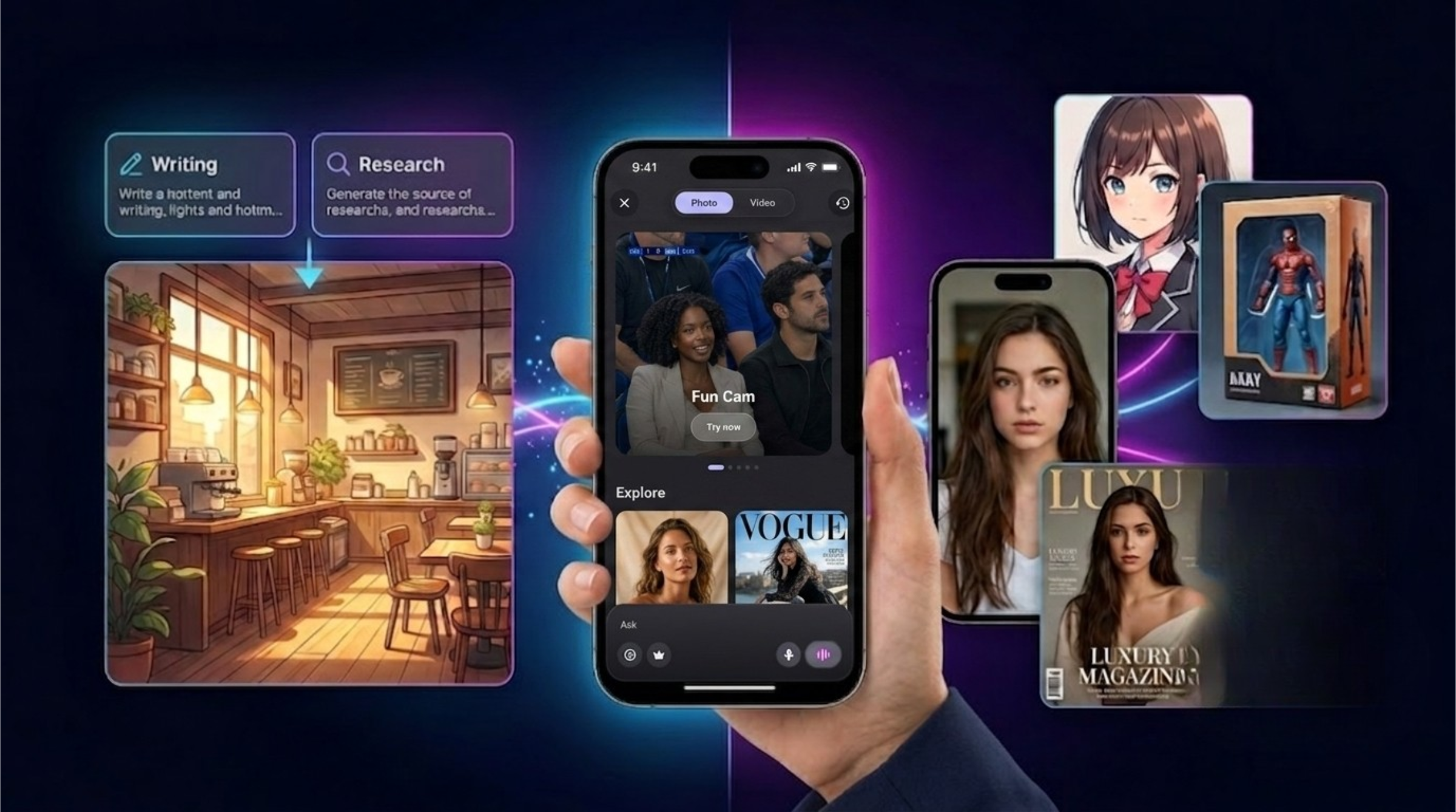
AI Image Generator vs Image Transformer: What Is the Difference and Which One Should You Use?
Learn the difference between AI image generators and AI image transformers. Discover how tools like Midjourney, ChatGPT Images, Adobe Firefly, Canva, and SuperGeno help users create and transform visuals.
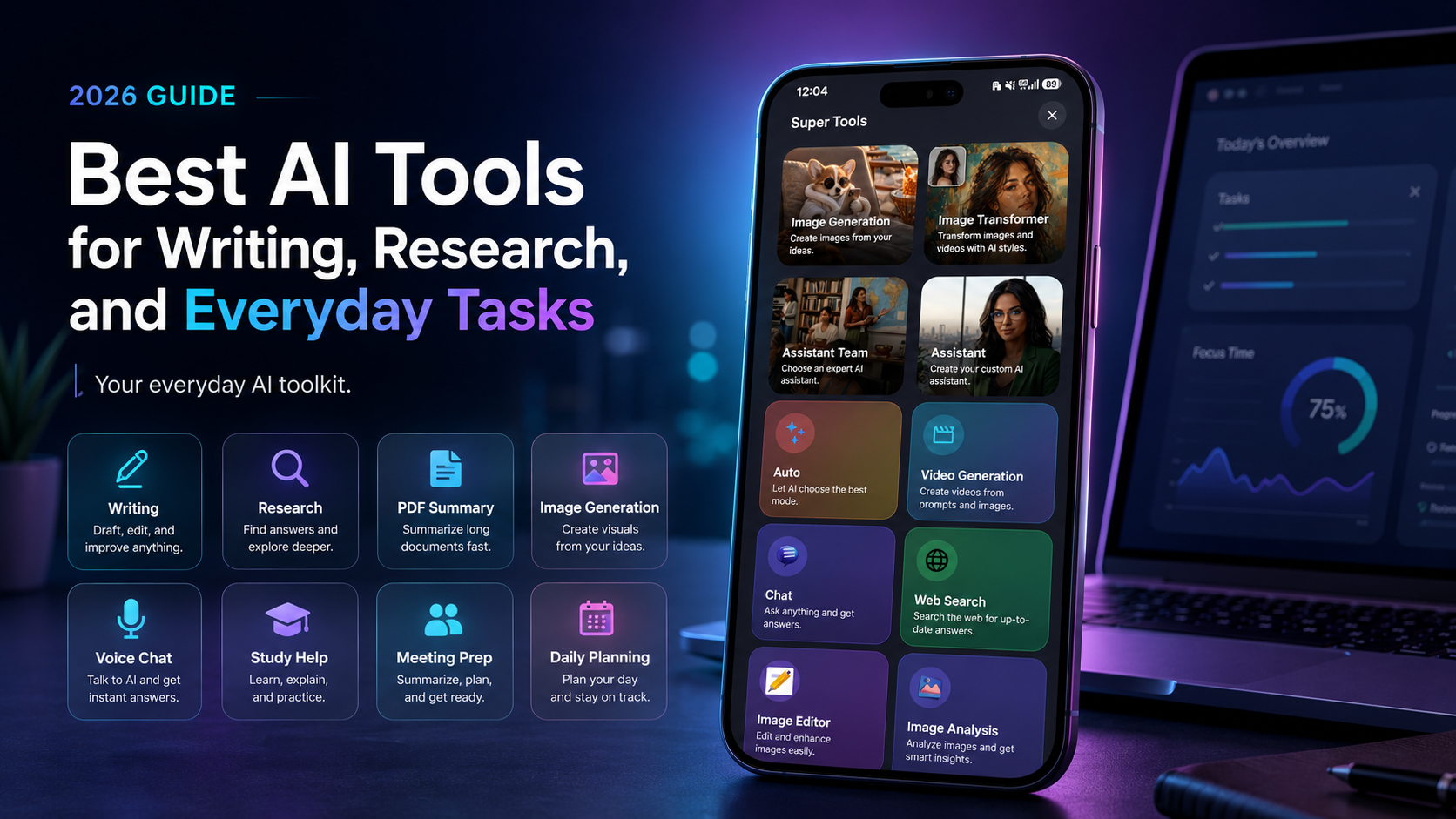
Best AI Tools for Writing, Research, and Everyday Tasks in 2026
Discover the best AI tools for writing, research, PDF summarization, image generation, voice chat, studying, creativity, and everyday productivity in 2026.